

- Solo-mine XMR from inside the wallet
- Merchant page for receiving payments
- Pruning shrinks the full-node disk footprint
Monero GUI Wallet Overview
- Crypto Wallet Name
- Monero GUI Wallet
- Wallet Type
- Hot wallet (desktop)
- Custodial Status
- Non-custodial
- Built-in Swaps
- No
- Open-source
- Fully open-source
- Fiat On-ramp
- No
Additional details
- Supported Blockchains
- Monero
- Platforms
- Desktop (Windows), Desktop (macOS), Desktop (Linux)
- Hardware Wallet Support
- Yes
- Staking Support
- None
- Supported Hardware Wallets
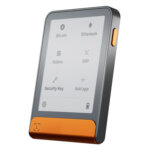
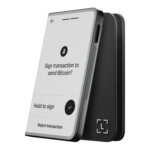
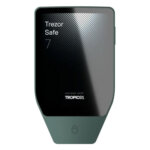
- Ledger, Trezor
- Hardware Connection Methods
- USB
Monero GUI Wallet Pros and Cons
Pros
- Fully open source under BSD-3
- Simple mode connects to a remote node
- Official wallet maintained by the Monero Project
- Can run its own full Monero node
- Ledger and Trezor signing supported
Cons
- Monero only, no other coins
- Desktop only, no official mobile app
- Remote nodes can leak metadata
- 25-word seed differs from BIP-39
- Full node sync is a long first download
Who Monero GUI Wallet Is Best For and Who Should Skip It
Monero GUI suits XMR holders who want the project’s desktop wallet and are comfortable choosing a node and managing their own backup.
Get it if any of these apply to you.
- XMR is a core holding and you want the Monero Project's own wallet
- You can run a local full node, or will use Tor/I2P over a remote one
- You want a wallet with no account or KYC and no company behind it
- You hold enough XMR to justify Ledger or Trezor signing
Skip it if any of these apply to you.
- You hold anything other than Monero
- You need a mobile wallet
- You want swaps and staking or fiat purchases inside the wallet
- You want a guided setup that makes the node decision for you
What Is Monero GUI Wallet and How Does It Work?
Monero GUI is the Monero Project's own desktop wallet, available from getmonero.org. As of October 23, 2026, the current version is 0.18.5.4 “Fluorine Fermi”. No company stands behind it, since the wallet is community-developed and volunteer-funded. Support comes through the project’s community channels rather than an account-recovery service.
It runs on 64-bit Windows, macOS on both Intel and Apple Silicon, and Linux across the major distributions. There is no official mobile app, and anything on an app store claiming to be “Monero GUI” is a third-party product at best.
Security and Custody
Monero GUI generates and stores keys locally, and they never touch a server. The product has no account or email signup and no KYC anywhere. The full source code is public under the BSD-3 license, and releases ship with signed hashes you can check before installing.
Node selection affects the metadata exposed to other computers. In Simple mode the wallet auto-connects to a remote node someone else runs, which avoids downloading the blockchain locally. The cost is metadata, because a malicious or surveillance-operated remote node can log your IP address and link it to your transaction activity. The project hardened the wallet against such spy nodes in the 0.18.4.2 (August 2025) and 0.18.4.3 (October 2025) releases. The privacy-maximizing setup is Advanced mode running your own full node, with pruning available to shrink the disk footprint. If you cannot run a full node, route a compatible remote node through a Tor or I2P proxy to reduce IP-level exposure. An untrusted remote node can observe connection metadata, even though Monero protects transaction data on-chain.
Compatible Ledger and Trezor devices keep transaction signing with the private spend key on the hardware.
The project fixes wallet and node security issues through regular releases, and the 2025 updates addressed malicious remote-node behavior. In November 2019 a compromised download of the command-line wallet was distributed through the project’s website, but that incident did not affect Monero GUI. Some antivirus tools flag Monero archives. Do not assume every warning is a false positive. Follow the project’s download-verification instructions: authenticate the signed hash list, then compare the archive’s SHA-256 hash before running it.
Supported Chains and Assets
Monero GUI supports Monero and nothing else, so it holds no Bitcoin or Ethereum and no stablecoins or other tokens. Other assets require a separate wallet.
Usability and Recovery
Monero GUI’s legacy backup uses a 25-word Monero mnemonic, not a BIP39 phrase. The first 24 words encode the seed, and the final word checks for errors. Back up all 25 words in order and keep them offline. A missing checksum word does not by itself make the underlying seed unrecoverable, but ordinary BIP39 wallet recovery is incompatible.
Simple mode uses a remote node, with the privacy implications described above. Advanced mode exposes node management and mining controls. Running your own full node means syncing the Monero blockchain, a long first download even with pruning enabled. Download verification and the Monero-specific backup format add setup steps. The wallet is translated into more than 30 languages.
Features
Monero GUI has no swaps, staking, dApp browser or DeFi access. It has no fiat on-ramp either, so purchases or swaps require a separate service. A merchant page handles incoming payments, and the app shows fiat values next to your balance. You can solo-mine from the interface, sign with a hardware wallet and set up Tor and I2P connections for private node access. If in-wallet convenience features are the draw, pick a different wallet.
Cost
Monero GUI has no app purchase, subscription or premium tier. Sending XMR incurs a network fee paid to miners. Running a local full node uses disk space and requires the computer to stay available while syncing and serving requests. Hardware signing also requires a separately owned Ledger or Trezor device.
Comparison with Other Wallets
-


Feather Wallet
Feather Wallet is a desktop Monero wallet with output controls, configurable node connections and offline signing. Its default Tor mode excludes initial synchronization. View-only wallets need key images to track spent outputs,...
-

Monerujo Wallet
Monerujo is an Android wallet for people who spend Monero and want to choose the node their phone uses. It combines local key storage with tools for repeated payments, separate accounts and...
-

Cake Wallet
Cake Wallet brings Monero, Bitcoin and other networks into an account-free app with detailed payment and privacy controls. Those controls need attention: a shared seed is optional, Lightning has its own balance,...
Monero GUI covers XMR on desktop, and a local node needs a long first sync. Other self-custody wallets offer mobile access, support for additional coins or a lighter desktop interface.
- Feather suits users who want a lighter desktop Monero wallet with reproducible builds.
- Monerujo suits Monero users on Android.
- Cake Wallet suits users who want Monero alongside other chains on mobile.
Only Monero GUI is the Monero Project's own software, and that official status comes with public code and ongoing security updates. Pick an alternative if you need a phone in the loop or hold coins beyond XMR, or if you want a lighter desktop tool.
Crypto Wallets Pillar Scores
- Custody and key security 30% weight Who can authorize spending, protection of keys and signing, and independent access to every reviewed account type.9.5 / 10
- Security validation and track record 25% weight Independent security assessments, their coverage and findings, plus updates and the handling of known incidents.7.5 / 10
- Transaction safety and signing 20% weight Transaction details, signing warnings, scam checks, permission controls and the handling of unreadable requests.8.5 / 10
- Backup and recovery 10% weight Repeatable backup checks, complete restoration, recovery dependencies, costs and resilience after backup loss.8.0 / 10
- Usability, privacy and costs 10% weight Setup and everyday tasks, accessibility, support guides, data-sharing choices and device, service and transaction costs.8.0 / 10
- Assets, networks and compatibility 5% weight Asset and network support, devices, companion apps and connections needed for the uses covered in the review.9.0 / 10
Final Verdict
Monero GUI gives desktop XMR users control over keys and node selection, with public source code and ongoing security updates. It suits users prepared to manage a Monero backup and verify downloads. Running a local node requires disk space and synchronization time. A remote node reduces that setup burden but creates metadata exposure. Compatible hardware signing adds a separate device for transaction approval.
CryptoSlate may earn a commission when you use partner links, at no extra cost to you. Our reviews, ratings, and editorial decisions remain independent of advertisers. Read How CryptoSlate Makes Money for funding details.